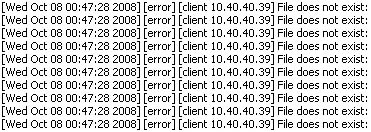
I know from previous experience that I need to be careful about what I put in the root directory on my development box at work, but I recently discovered it’s probably best not to have any open ports on my box at all, when a coworker showed me this in my Apache server log:
 Retina Network Security Scanner |
Apparently, this is what a server log looks like after being audited by a Retina Network Security Scanner, software that scans the network for open ports and, when it finds one, checks for every possible kind of exploit there is against it:
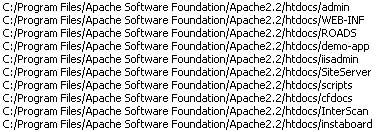 Sample of Exploits Checked |
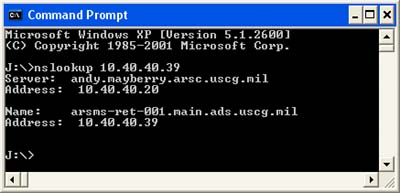
There are thousands of lines of log entries for each scan, and with these regular scans extending back to October, my Apache log had exploded to nearly 300 megs. Somewhat inconvenient. Great thing about working in a team IT environment, I got to learn about a command-line tool called nslookup, which I ran:
 nslookup |
So it’s a CG Intranet thing. The “ads” probably stands for “Automated (Distribution / Deployment) Service.” Nice to know it’s out there, keeping USCG computers secure.
Since this was a local development box, I decided to follow my colleague, and restrict my Apache server to access from just my own box with this modification to the config file (I’m using port 81 so as not to conflict with IIS):
#Listen 81

Listen localhost:81
Now the only errors I get are the PICNIC kind.
Comments
4 responses to “This is What Happens When You Leave a Port Open on a DHS System”